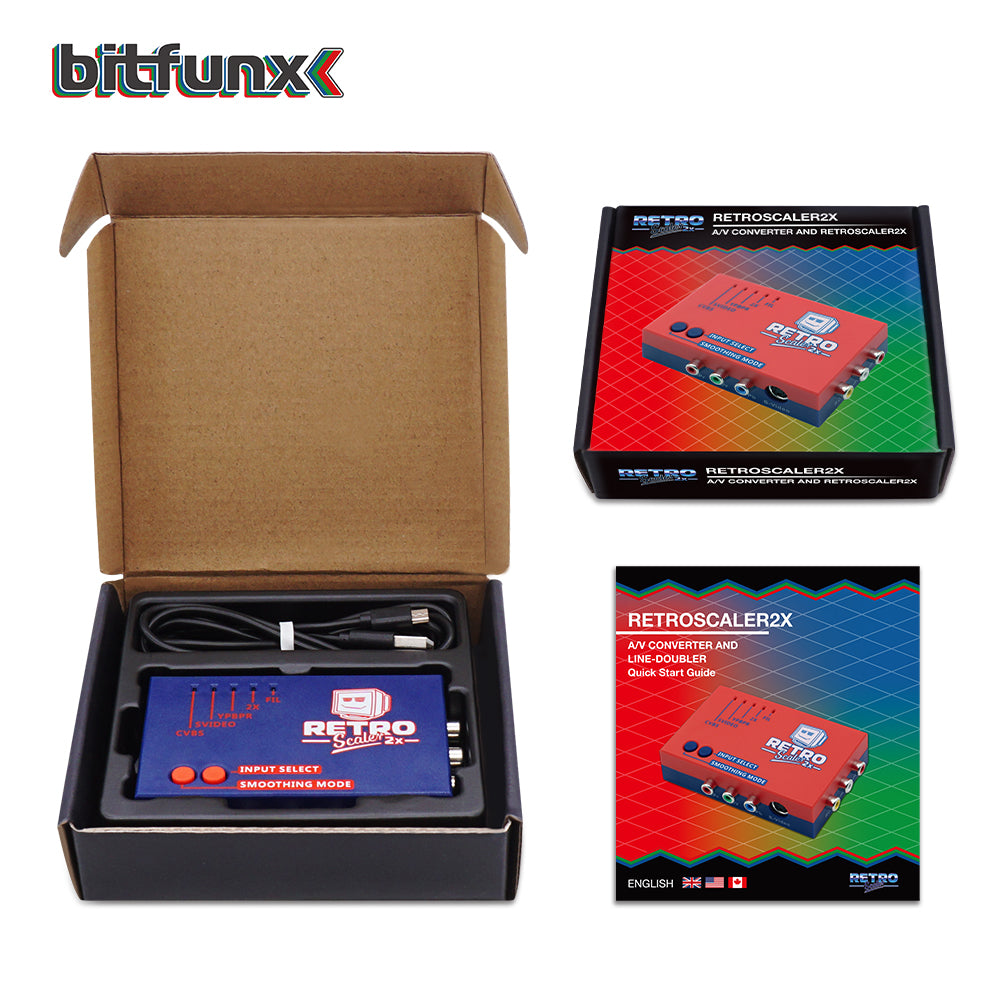
RetroScaler2x Composite SV YPBPR to HDMI® Upscaler Converter
RetroScaler2x Composite SV YPBPR to HDMI® Upscaler Converter
Prix habituel
$69.99 USD
Prix habituel
Prix promotionnel
$69.99 USD
Frais d'expédition calculés à l'étape de paiement.
FREE delivery
Bloc de texte
Quantité
Impossible de charger la disponibilité du service de retrait
RetroScaler2x Composite SV YPBPR to HDMI Upscaler Converter
✨ Core Features
- Universal Compatibility: Works with PS2, N64, NGC, Dreamcast, Saturn, MD1/MD2 & more retro consoles.
- Plug & Play Setup: Simple Micro USB power input with an easy power switch—no complicated installation.
- Dual Region Support: Handles both NTSC and PAL signals for broad compatibility.
- HD HDMI Output: Upgrades your retro gaming experience to crisp, clear HDMI on modern TVs/Monitors.
- Multi-Input Versatility: Supports Composite, S-video, and Component (YPBPR) signals.
📋 Specifications
| Port/Feature | Description |
|---|---|
| YPBPR Component Input | Connect component video sources. Note: Does NOT support RGB/RGBS. |
| S-video Input | 4-pin S-video interface (only this input supported). |
| AV (RCA) Input | Standard composite video input for SNES, GameCube, N64, etc. |
| HDMI Output | Outputs 480p (NTSC) or 576p (PAL) to modern displays. |
| Power Input | Micro USB (5V). Can be powered by a TV USB port. |
| Zero Lag | Proven low-latency design for smooth gaming. |
🎮 Filter Mode Guide
Use the SMOOTHING/FIL mode button to adjust image quality:
- LED Off (Default): Recommended for 2D games (SNES, Genesis, 8-bit/16-bit).
- LED On (FIL Mode): Activates filtering to minimize aliasing. Ideal for 3D games (N64, Saturn) or 480i-only games to reduce flicker.
⚠️ Important Purchasing Notes
- Brazil Compatibility: Does NOT support all PAL-M consoles in Brazil.
- Input Confirmation: Supports Component/AV/SV only. Please verify your console outputs these signals before buying. Do NOT use RGBS cables.
- Connection Rule: Connect directly to console & TV. Do not cascade with other converters.
- Input Selection: Only one input source can be used at a time.
- Upgrade Option: For ultra-high quality demands, consider the OSSC.
🚀 Quick Setup Guide
- Connect your game console to the RetroScaler2x via AV, S-video, or Component cable.
- Plug in the Micro USB power cable and turn on the converter.
- Connect the HDMI output to your TV/monitor.
- Power on your console and use the INPUT SELECT button to choose the correct signal source.
- Use the SMOOTHING button to enable/disable FIL mode based on your game type.
🔧 Advanced: OSSC Integration
For the ultimate retro gaming setup, pair the RetroScaler2x with an OSSC:
- Connect RetroScaler2x HDMI output to an HDMI-to-VGA adapter.
- Connect the adapter's VGA output to the OSSC VGA input.
- Set the OSSC to 480p mode (Sampling opt -> 480p).
- Enjoy the benefits of both the RetroScaler2x's versatile inputs and the OSSC's advanced scanline processing.
🛡️ Safety Information
- Use a regulated 5V Micro USB power supply only.
- Always power off before connecting/disconnecting cables.
- Keep away from moisture, water, and excessive heat.
- Not a toy. Please supervise children during use.