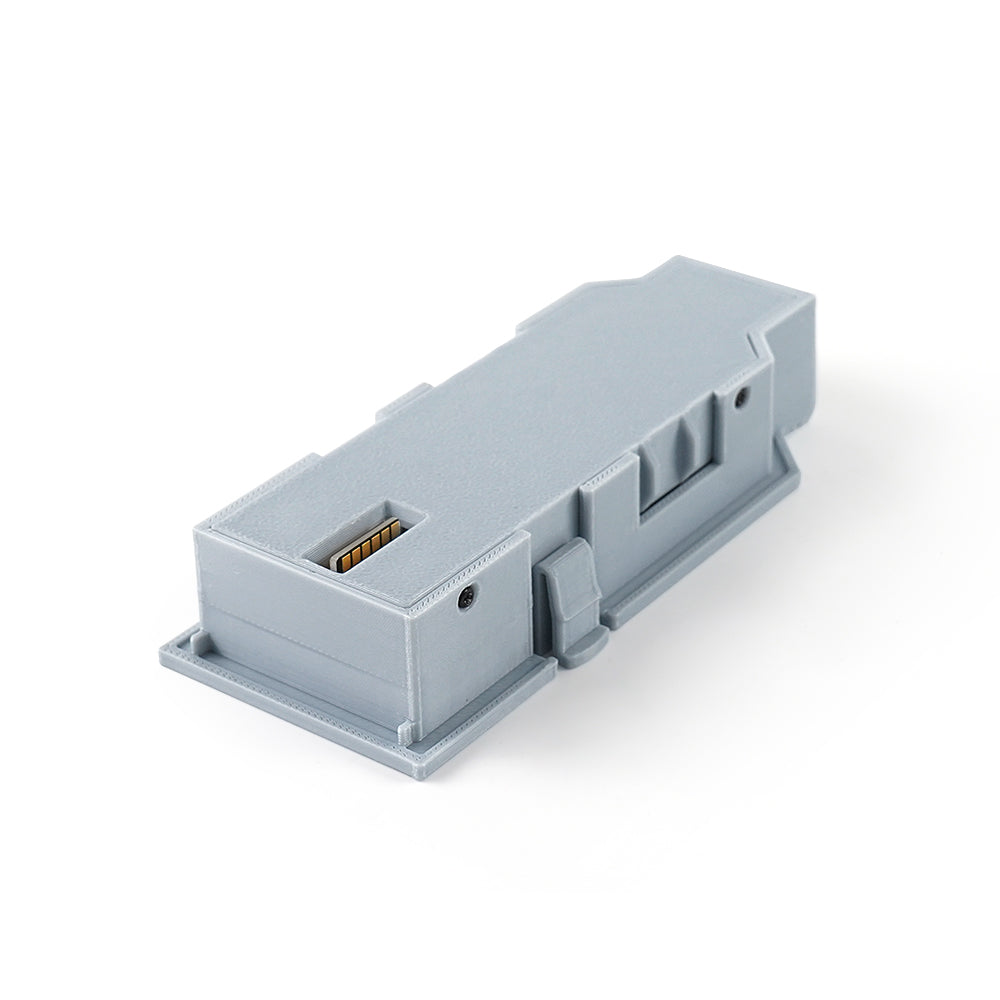
Bitfunx ETH2SP1 Swiss Ethernet Adapter for GameCube – Broadband Adapter Emulator
Bitfunx ETH2SP1 Swiss Ethernet Adapter for GameCube – Broadband Adapter Emulator
FREE delivery
Textblock
Verfügbarkeit für Abholungen konnte nicht geladen werden
ETH2SP1 Swiss Ethernet Adapter for GameCube
The Bitfunx ETH2SP1 is an Ethernet adapter for the Nintendo GameCube that uses Swiss Broadband Adapter emulation to provide network functionality through Serial Port 1 (SP1).
Based on the open-source SP1ETH project and using an ENC28J60 Ethernet module, ETH2SP1 allows compatible GameCube games and applications to use Ethernet networking for online and LAN multiplayer gaming.
The adapter is designed to fit into the original Broadband Adapter bottom bay while connecting to Serial Port 1, leaving other expansion ports available for accessories such as SD2SP2 and GC2SD.
Features
Broadband Adapter Emulation: Uses Swiss to emulate the original GameCube Broadband Adapter functionality for compatible games and applications.
Ethernet Connectivity: Provides Ethernet networking through Serial Port 1 for supported GameCube network applications.
Online & LAN Multiplayer: Supports online and local network multiplayer gaming for compatible GameCube games.
Serial Port 1 Installation: Connects through the GameCube's Serial Port 1 while fitting into the original Broadband Adapter bottom bay.
Other Expansion Ports Remain Available: The ETH2SP1 design leaves other expansion ports available for accessories such as SD2SP2 and GC2SD.
Open-Source Project: Based on the open-source SP1ETH project and uses an ENC28J60 Ethernet module.
Easy Installation: Designed for installation in the original Broadband Adapter bottom bay and Serial Port 1.
Swiss Requirements
ETH2SP1 requires a sufficiently recent version of Swiss with the following settings enabled:
- Init. network at startup
- IPv4 uses DHCP
- Emulate Broadband Adapter
Swiss version: ETH2SP1 requires Swiss later than r1788. For improved compatibility, we recommend using a newer version, preferably later than r1984.
Installation
ETH2SP1 is installed in the original Broadband Adapter bottom bay and connects to Serial Port 1 (SP1).
This installation method allows you to keep other expansion interfaces available for accessories such as SD2SP2 and GC2SD.
Compatibility
- Console: Nintendo GameCube
- Software: Swiss
- Connection: Serial Port 1 (SP1)
- Network: Ethernet
- Function: Broadband Adapter Emulation
- Multiplayer: Online and LAN multiplayer for compatible games
- Ethernet Controller: ENC28J60
Troubleshooting
1. The Broadband Adapter / BBA option in Swiss is greyed out
If the Broadband Adapter or BBA option is greyed out and cannot be enabled, Swiss may not be detecting the ETH2SP1 adapter.
- Update Swiss to a newer version. We recommend using a version later than r1984.
- Check the Serial Port 1 connector and make sure the gold contacts are clean and making good contact.
2. Swiss hangs after booting with the Ethernet cable connected
In some cases, the SP1 port may leave an uncleared interrupt that causes Swiss to hang during cleanup.
Rebooting the GameCube may resolve the issue. If the problem persists, disconnect the Ethernet cable during startup and reconnect it after the console has fully booted.
This issue may occur randomly on fully installed adapters.
3. ETH2SP1 does not initialize with PicoBoot installed
Compatibility issues may occur when ETH2SP1 is used together with a PicoBoot installation that has wires connected to SP1. This is caused by parasitic capacitance on the shared bus between IPL and SP1.
If your PicoBoot installation uses the SP1 connection, the installation may need to be modified and additional resistors installed to allow ETH2SP1 to function correctly.
100Ω resistor: Required in series with the CLK line (GPIO5 in the PicoBoot installation guide).
22Ω resistor: Required in series with the DI line (GPIO6 in the PicoBoot installation guide).
These resistors should be installed as close as possible to the IPL/SP1 connections.
Important Notes
- ETH2SP1 requires Swiss with Broadband Adapter emulation support.
- Swiss must be configured with Init. network at startup, IPv4 uses DHCP, and Emulate Broadband Adapter enabled.
- Swiss later than r1788 is required. A version later than r1984 is recommended.
- Some PicoBoot installations using the SP1 connection may require hardware modifications for compatibility.
- Online and LAN multiplayer functionality depends on the specific game and its network support.
Open Source
ETH2SP1 is based on the open-source SP1ETH project.
https://github.com/silverstee1/SP1ETH
Package Contents
- 1 x Bitfunx ETH2SP1 Swiss Ethernet Adapter